

The Samsung FRP Bypass Tool helps users bypass the Factory Reset Protection on Samsung devices. It is essential for regaining access to locked phones.
The Samsung FRP Bypass Tool is a crucial utility for those locked out of their Samsung devices due to Factory Reset Protection (FRP). FRP is a security feature that protects user data in case of theft or loss by requiring the original Google account credentials after a factory reset.
However, this can be problematic if the user forgets their login information. The Samsung FRP Bypass Tool provides a solution by enabling users to bypass this security measure and regain access to their devices. This tool is particularly useful for technicians and individuals who frequently handle multiple Samsung smartphones.
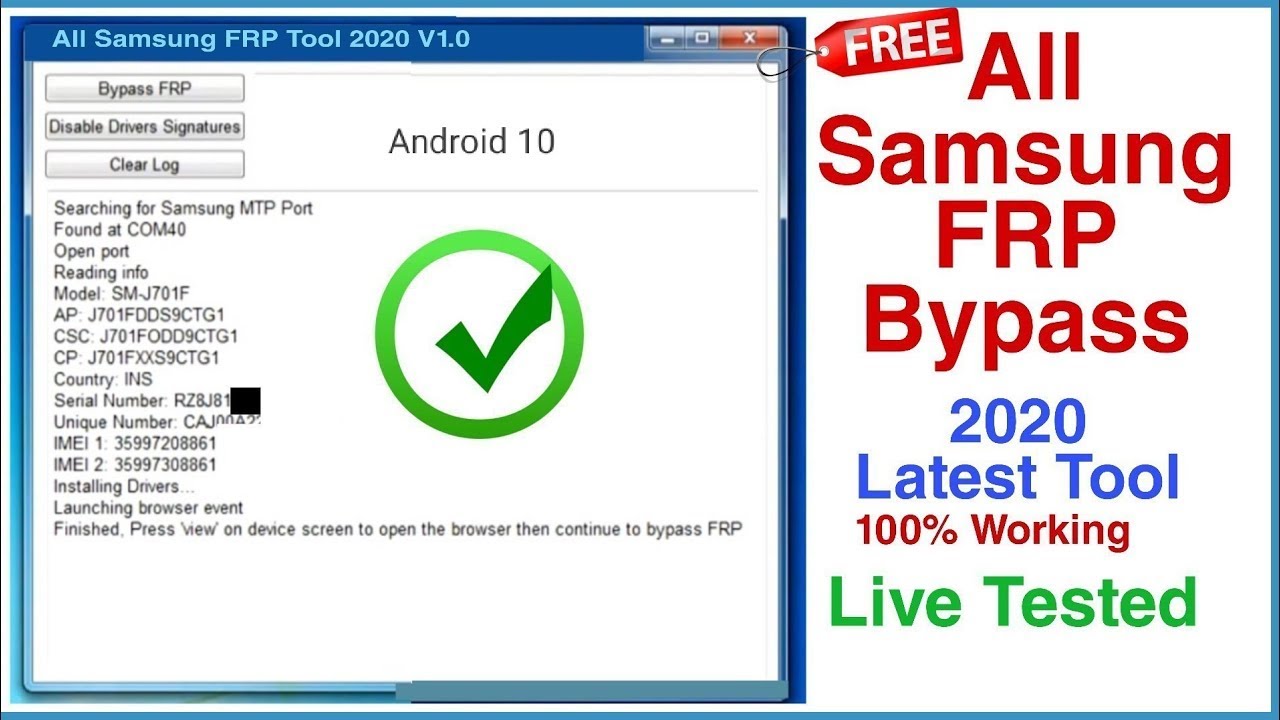
Credit: www.youtube.com
Importance Of Bypassing Frp
Factory Reset Protection (FRP) is a security feature on Samsung devices. It keeps your data safe if the phone is lost or stolen. But sometimes, this feature can be a hassle. That’s where the Samsung FRP Bypass Tool comes in handy.
Common Scenarios
There are many situations where you might need to bypass FRP. Below are some common scenarios:
- Forgotten Google Account: You forget your Google account credentials.
- Second-hand Device: You buy a used phone, and the previous owner did not remove their account.
- Accidental Reset: You reset your device and cannot log back in.
Benefits Of Bypass
Bypassing FRP offers several advantages, especially for those in tricky situations. Here are the key benefits:
| Benefit | Description |
|---|---|
| Regain Access | Get back into your device without needing original credentials. |
| Save Time | Bypass the lengthy account recovery process. |
| Resell Value | Increase the resale value of a second-hand device. |

Credit: m.youtube.com
Samsung FRP Bypass Tool Overview
The Samsung FRP Bypass Tool is essential for unlocking Samsung devices. It helps users bypass the Factory Reset Protection (FRP) lock. This tool is easy to use and very effective.
Key Features
The Samsung FRP Bypass Tool has many features. Here are some important ones:
- User-friendly Interface: The tool is simple and easy to use.
- Fast Process: It unlocks devices quickly, saving you time.
- High Success Rate: The tool works for most Samsung devices.
- Free to Use: No need to spend money to use the tool.
- Regular Updates: The tool is updated often to support new devices.
Compatibility
The Samsung FRP Bypass Tool works with many Samsung devices. Here is a list of compatible models:
| Device Series | Models |
|---|---|
| Galaxy S Series | S6, S7, S8, S9, S10, S20, S21 |
| Galaxy Note Series | Note 5, Note 8, Note 9, Note 10, Note 20 |
| Galaxy A Series | A5, A6, A7, A8, A9, A10, A20, A30 |
| Galaxy J Series | J3, J5, J7, J8 |
Check your device model before using the tool. Make sure it is compatible.
How To Use Samsung FRP Bypass Tool
The Samsung FRP Bypass Tool is a life-saver for anyone locked out of their Samsung device. This tool helps you regain access without the need for your Google account. Here’s a comprehensive guide on how to use it.
Step-by-step Guide
- Download the Tool: First, download the Samsung FRP Bypass Tool from a trusted source.
- Install the Tool: Install the tool on your computer. Make sure your antivirus software does not block it.
- Connect Your Device: Use a USB cable to connect your Samsung device to the computer.
- Open the Tool: Launch the Samsung FRP Bypass Tool application.
- Enter Download Mode: Put your Samsung device into Download Mode by pressing the Volume Down, Home, and Power buttons simultaneously.
- Start Bypass: Click on the “Start” button in the tool to begin the bypass process.
- Follow On-Screen Instructions: Follow the on-screen instructions to complete the bypass.
- Reboot Device: Once done, reboot your Samsung device. You should now have access.
Common Mistakes
Even a small mistake can disrupt the process. Here are some common errors to avoid:
- Incorrect Tool Version: Ensure you are using the correct version of the Samsung FRP Bypass Tool.
- Poor USB Connection: A loose or faulty USB connection can interrupt the process.
- Skipping Download Mode: Make sure your device is in Download Mode before starting the bypass.
- Ignoring Antivirus: Some antivirus software may block the tool. Temporarily disable it if necessary.
- Not Following Instructions: Always follow the on-screen instructions carefully.
By avoiding these mistakes, you can ensure a smooth and successful FRP bypass process. Regain access to your Samsung device quickly and efficiently.
Alternative Methods For FRP Bypass
Are you facing challenges bypassing the Factory Reset Protection (FRP) on your Samsung device? Using the right tools and methods can help you regain access. While the Samsung FRP Bypass Tool is popular, exploring alternative methods can be beneficial. This section will delve into other tools and manual methods for FRP bypass.
Other Tools
Several tools can assist in bypassing FRP on Samsung devices. Below are some alternatives:
| Tool Name | Features | Compatibility |
|---|---|---|
| Tenorshare 4uKey | Easy to use, supports the latest Samsung models | Android 6.0 and above |
| iMyFone LockWiper (Android) | Quick bypass, no technical skills needed | Android 5.0 and above |
| Dr.Fone – Screen Unlock (Android) | Supports various Android brands, user-friendly | Android 4.0 and above |
Manual Methods
Manual methods offer another way to bypass FRP without third-party tools. Here are some common manual techniques:
- Using Google Keyboard: Access the settings via Google Keyboard to disable FRP.
- Emergency Call Trick: Use the emergency call option to access device settings and disable FRP.
- Wi-Fi Network Change: Modify Wi-Fi network settings to trigger the settings menu and bypass FRP.
Manual methods may require specific steps based on your device model and Android version. Always ensure to follow instructions carefully to avoid device issues.
Safety And Legal Considerations
Using the Samsung FRP Bypass Tool can be tricky. It’s crucial to understand the safety and legal aspects before proceeding. This section will help you understand the risks and legalities involved.
Is It Safe?
The Samsung FRP Bypass Tool can be safe if used correctly. Always download the tool from a trusted source. Using a reliable source reduces the risk of malware and other security threats.
Ensure your antivirus software is up-to-date. Run a scan on any downloaded files. This step helps protect your device and data.
Back up your data before using the tool. This precaution prevents data loss in case something goes wrong.
Legal Implications
Bypassing FRP can have legal consequences. It is important to understand the law in your region. Unauthorized access to someone else’s device is illegal.
Using the tool on your device is generally legal. Make sure you have proof of ownership. This avoids any legal complications.
Always respect privacy and ownership rights. Misusing the tool can lead to serious legal issues.
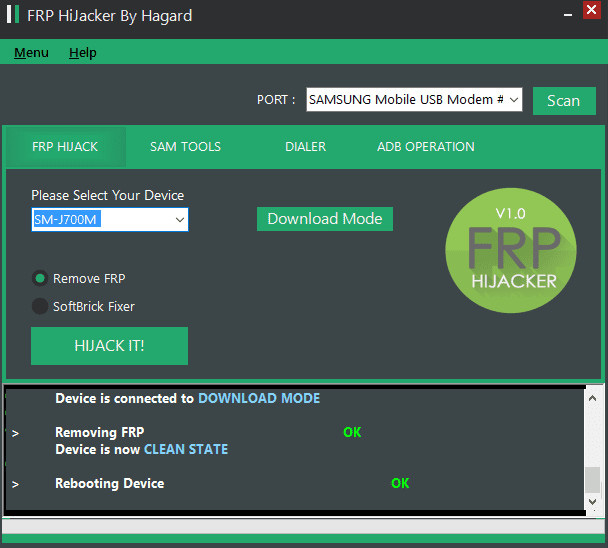
Credit: www.tenorshare.com
Troubleshooting Common Issues
Samsung FRP Bypass Tool is essential for bypassing Google account verification. Users often face common issues while using the tool. Troubleshooting these problems can save time and frustration. Below, we discuss common issues and their solutions.
Connection Problems
Connection issues are frequent when using the Samsung FRP Bypass Tool. Below are steps to resolve these problems:
- Check USB Cable: Ensure your USB cable is not damaged.
- Use Original Cable: Always use the original Samsung USB cable.
- Restart Devices: Restart both your phone and computer.
- Update Drivers: Make sure your USB drivers are up-to-date.
If these steps do not work, try a different USB port or computer.
Error Messages
While using the Samsung FRP Bypass Tool, error messages can appear. Understanding these errors can help in finding quick fixes:
| Error Message | Solution |
|---|---|
| Device Not Recognized | Ensure drivers are installed and updated. |
| Connection Timeout | Check your internet connection and USB connection. |
| Authentication Error | Re-enter your Google account details. |
Follow these steps carefully to avoid common errors. Proper troubleshooting ensures a smooth experience with the Samsung FRP Bypass Tool.
Future Of FRP Bypass Tools
The future of FRP Bypass Tools looks promising with continuous advancements. Developers are focusing on enhancing security and functionality. New features and trends are emerging to make these tools more efficient.
Upcoming Features
Upcoming features in FRP Bypass Tools are expected to revolutionize the user experience. Here are some key features to look out for:

- Enhanced Security: Future tools will offer better security protocols.
- User-Friendly Interfaces: Interfaces will be simpler and easier to navigate.
- Faster Processing: Processing speeds will be significantly improved.
- Multi-Device Support: Support for a wider range of devices will be available.
Industry Trends
The industry is witnessing several trends that will shape the future of FRP Bypass Tools. These trends include:
| Trend | Description |
|---|---|
| AI Integration | Artificial Intelligence will enhance tool functionalities. |
| Cloud-Based Solutions | Cloud technology will offer seamless access and updates. |
| Cross-Platform Compatibility | Tools will work across various operating systems. |
| Community Support | Growing communities will share tips and updates. |
These features and trends indicate a bright future for FRP Bypass Tools. They will become more secure, efficient, and user-friendly. Stay updated to leverage these advancements effectively.
Frequently Asked Questions
What Is A Samsung FRP Bypass Tool?
A Samsung FRP Bypass Tool helps remove Google’s Factory Reset Protection. It allows users to regain access to their devices.
Is It Legal To Use FRP Bypass Tools?
Using FRP Bypass Tools is legal if you own the device. Unauthorized use can violate terms and laws.
How Do I Use A Samsung FRP Bypass Tool?
To use a Samsung FRP Bypass Tool, download the tool, connect your device, and follow the instructions. Always backup data first.
Can FRP Bypass Tools Damage My Device?
Using FRP Bypass Tools incorrectly can damage your device. Follow instructions carefully and ensure the tool is reputable.
Conclusion
Unlocking your Samsung device is now easier with the FRP Bypass Tool. This tool ensures you regain access quickly. It’s user-friendly and effective. Say goodbye to frustrating lockouts. Stay informed and make the most of your Samsung device. Download the Samsung FRP Bypass Tool today and simplify your tech life.