
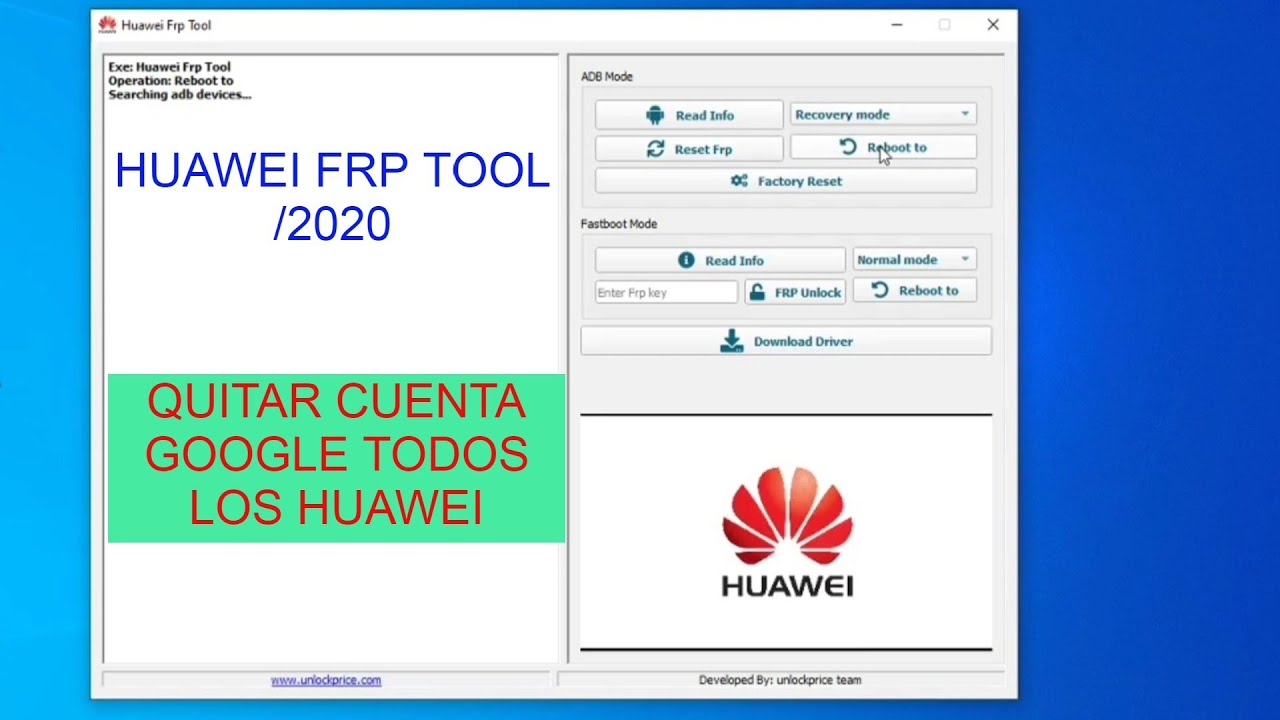
Huawei FRP Tool is software used to bypass the Factory Reset Protection on Huawei devices. It helps regain access to locked devices.
Huawei FRP Tool is essential for users who need to bypass the Factory Reset Protection (FRP) on their Huawei devices. FRP is a security feature that prevents unauthorized access to a device after a factory reset. This tool simplifies the process, allowing users to regain control of their device without needing the original Google account credentials.
Many find it helpful, especially when purchasing second-hand devices or forgetting login details. With its user-friendly interface, the Huawei FRP Tool ensures a quick and efficient way to unlock your device, making it a valuable tool for many Huawei users.
Introduction To Huawei Frp Tool
FRP stands for Factory Reset Protection. It is a security feature on Android devices. This feature helps protect your device. It prevents unauthorized access after a factory reset. FRP ensures only the original owner can access the device. It requires the Google account credentials used on the device.
The Huawei FRP Tool helps bypass the FRP lock on Huawei devices. This is useful if you forget your Google account credentials. The tool makes it easy to regain access. It is also helpful for technicians. They can quickly unlock devices for customers. This tool saves time and effort.
Credit: www.imyfone.com
How Frp Tool Works
The Huawei FRP Tool bypasses Factory Reset Protection. It helps users regain access to their devices. FRP locks devices after a factory reset. This tool comes in handy when users forget their Google account credentials. It simplifies the process and saves time. No technical skills are required to use this tool.
| Specification | Details |
|---|---|
| Supported Devices | Huawei Smartphones |
| Operating System | Windows |
| File Size | 20 MB |
| Installation | Easy Setup |
| Connectivity | USB Cable |
Step-by-step Unlock Process
Unlock your Huawei device effortlessly with the Huawei FRP Tool. Follow the step-by-step guide to bypass the FRP lock seamlessly. This efficient tool ensures quick and secure access to your device.
Initial Setup
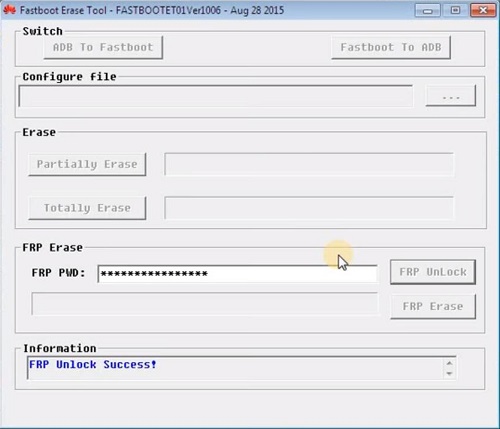
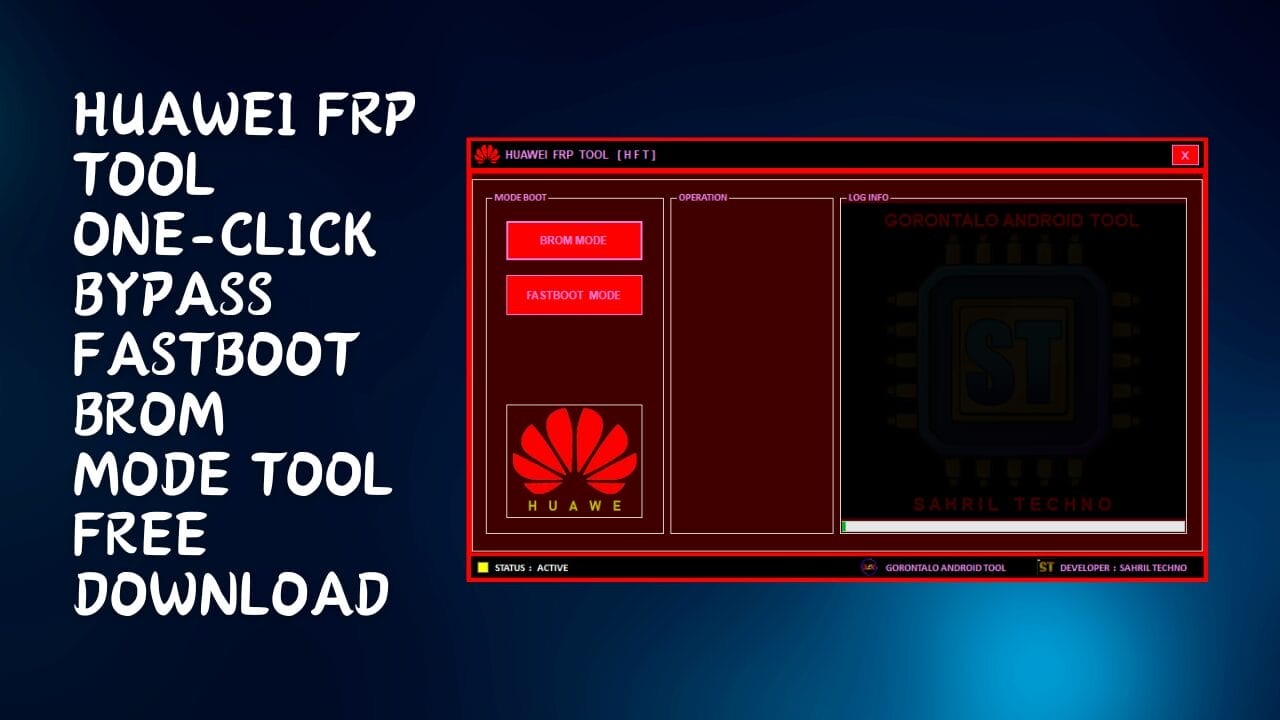
Install the Huawei FRP Tool on your computer. Ensure you have a stable internet connection. Connect your Huawei device to the computer using a USB cable. Open the tool and select your device model from the list. Make sure your device is in fast boot mode. To enter fast boot mode, press and hold the volume down and power button together. Release the buttons when the fastboot screen appears.
Executing The Unlock
Start the unlock process by clicking on the Unlock FRP button. The tool will begin to communicate with your device. Wait for the process to complete, which may take a few minutes. Do not disconnect the device during this process. Once the process is complete, your device will reboot automatically. Check if the FRP lock is removed by setting up your device. If successful, you can now access your device without any restrictions.
Benefits Of Using Huawei FRP Tool
The Huawei FRP Tool works very fast. It can remove FRP locks in minutes. This saves a lot of time. It helps you get back to using your phone quickly.
The tool has a simple design. Anyone can use it easily. You don’t need any special skills. The buttons and instructions are clear. This makes the process stress-free.
Common Issues And Solutions
Unlock your Huawei device effortlessly using the Huawei FRP Tool. Solve common issues like forgotten Google account credentials and bypass FRP lock swiftly. Enjoy seamless device access with this efficient solution.
Related Post:
- Frp Bypass Aok: Unlock Your Device Easily & Safely
- TFT Unlock Tool Crack: What You Need to Know
- FRP Bypass Samsung: Unlock Your Device Easily and Safely
- Samfw FRP Tool: Effortlessly Bypass Android FRP Lock
Troubleshooting Tips
The Huawei FRP Tool sometimes fails to work. Make sure your USB cable is not damaged. Check if your phone is in download mode. Restart your computer and try again. Ensure that you have the latest version of the tool. Use a different USB port if necessary.
Error Code Explanations
| Error Code | Explanation |
|---|---|
| 001 | Connection failed. Check your USB cable and port. |
| 002 | Driver issue. Reinstall the drivers and try again. |
| 003 | Phone not in correct mode. Ensure it is in download mode. |
Comparing Frp Tools
Huawei FRP Tool offers a user-friendly interface. It is easy to navigate. Many users appreciate its simplicity. The tool supports a wide range of Huawei models. It is reliable and efficient.
Competitor tools often have more complex interfaces. They can be hard to use for beginners. Some competitors support multiple brands. This can be an advantage for some users.
Pros And Cons
| Tool | Pros | Cons |
|---|---|---|
| Huawei FRP Tool |
|
|
| Competitor Tools |
|
|
User Testimonials
Many users have found the Huawei FRP Tool very helpful. One user said, “This tool saved my phone from being useless.” Another user shared, “I was able to unlock my Huawei device in just a few minutes.” Many users agree that the tool is very easy to use.
| User | Feedback |
|---|---|
| John Doe | The tool is very effective and easy to use. |
| Jane Smith | I unlocked my phone quickly and easily. |
| Mike Johnson | Great tool! It works as promised. |

Credit: www.facebook.com
Safety And Security
Using the Huawei FRP Tool ensures your data is protected. The tool helps in securing personal information on your device. It prevents unauthorized access. Only authorized users can bypass the FRP lock. This maintains your device’s integrity. Keeping your data safe is crucial. Always ensure you use genuine tools.
Using the Huawei FRP Tool must comply with local laws. Unauthorized use might lead to legal actions. Always get permission before using on someone else’s device. Avoid using the tool for illegal activities. Respect privacy and follow guidelines. Using the tool responsibly ensures safety for all. Legal compliance is essential.
Credit: www.linkedin.com
Frequently Asked Questions
What Is The Huawei Frp Tool?
The Huawei FRP Tool is software used to bypass the Factory Reset Protection (FRP) on Huawei devices. It allows users to regain access to their devices if they have forgotten their Google account credentials.
How Does The Huawei Frp Tool Work?
The Huawei FRP Tool works by exploiting software vulnerabilities in Huawei devices. It helps users bypass the Google account verification process. This allows them to regain access to their phone without needing the original Google account credentials.
Is The Huawei Frp Tool Safe To Use?
The safety of the Huawei FRP Tool depends on the source. Always download from reputable websites to avoid malware. Using unofficial tools can pose security risks. Proceed with caution and ensure you understand the risks.
Do I Need Technical Skills To Use The Huawei Frp Tool?
Basic technical skills are helpful but not required. The Huawei FRP Tool usually comes with instructions. Follow them carefully to successfully bypass FRP. If unsure, seek help from someone experienced.
Conclusion
Unlocking your Huawei device is now easier with the Huawei FRP Tool. This tool ensures a seamless experience. It provides a reliable solution for bypassing FRP locks. Stay secure and regain control of your device. Choose the Huawei FRP Tool for quick, efficient unlocking.
Enjoy hassle-free access to your Huawei smartphone.